---
description: How to use Custom Filter to save your filter criteria
---
# Custom Filters
## 1. What's it?
From Proxyman 4.11.0 or later, users can create a filter to save current filter configs and access it later.
* Able to create a custom Filter button on the Toolbar with the current filter config
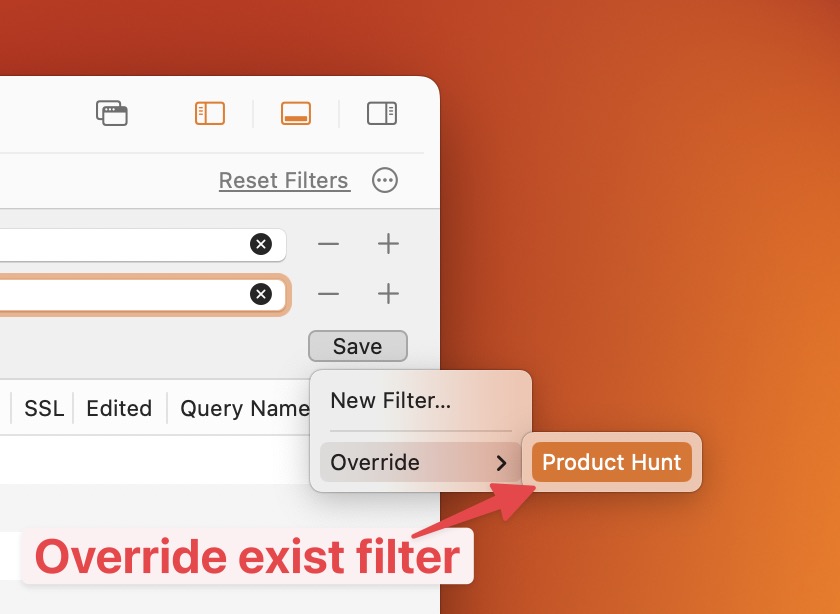
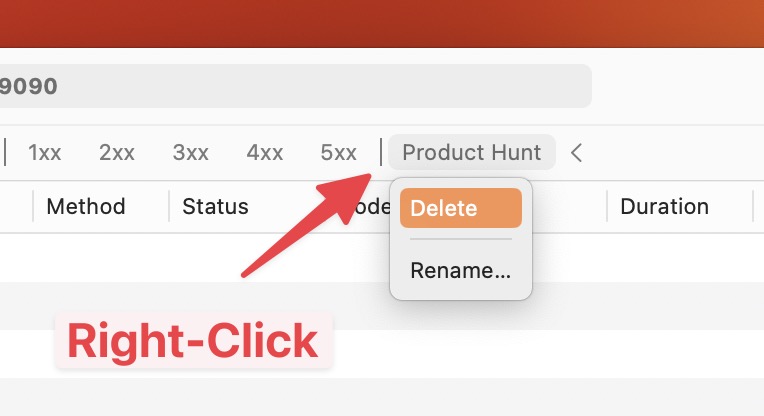
* Manage the filter buttons: Create new, Override, Delete, and Rename.
* Save time ✅
## 2. How to use
#### Create new filter
1. Setup your filter config (Support Single or Multiple filters)
2. Click on the Save button -> Save -> Enter the name
3. A New Filter is added to the Filter Toolbar.
Create new custom filter
#### Override
1. Change your filter config
2. Save button -> Override -> Select the filter that you'd like to override
Override current filter
#### Delete or Rename
1. Right-click on the filter button
2. Delete or Rename